


- Joined
- Apr 24, 2018
- Messages
- 463
Hi all,
I asked about a Double DIN head unit delete to find out if it existed and it seemed the only option I had was to get something from the states. Being a Design Engineer, I thought I'd just have a crack at it myself and design it for what I wanted so here's what I came with (including a step by step of what I did):
Step 1: The design
I went through a few different iterations of the design and also considered a few different manufacturing methods including 3D printing or plastic injection moulding but, I haven't got access to a 3D printer (well, there's one at work but I don't think they'd appreciate me using that for personal stuff) and I'm not looking to pay hundreds of £££'s to make a plastic injection moulding tool.
In the end, I went pretty basic and decided to use some plate aluminium, rivnuts, cap head screws, load spreading washers and some aluminium spacers and a magnetic phone/tablet holder.
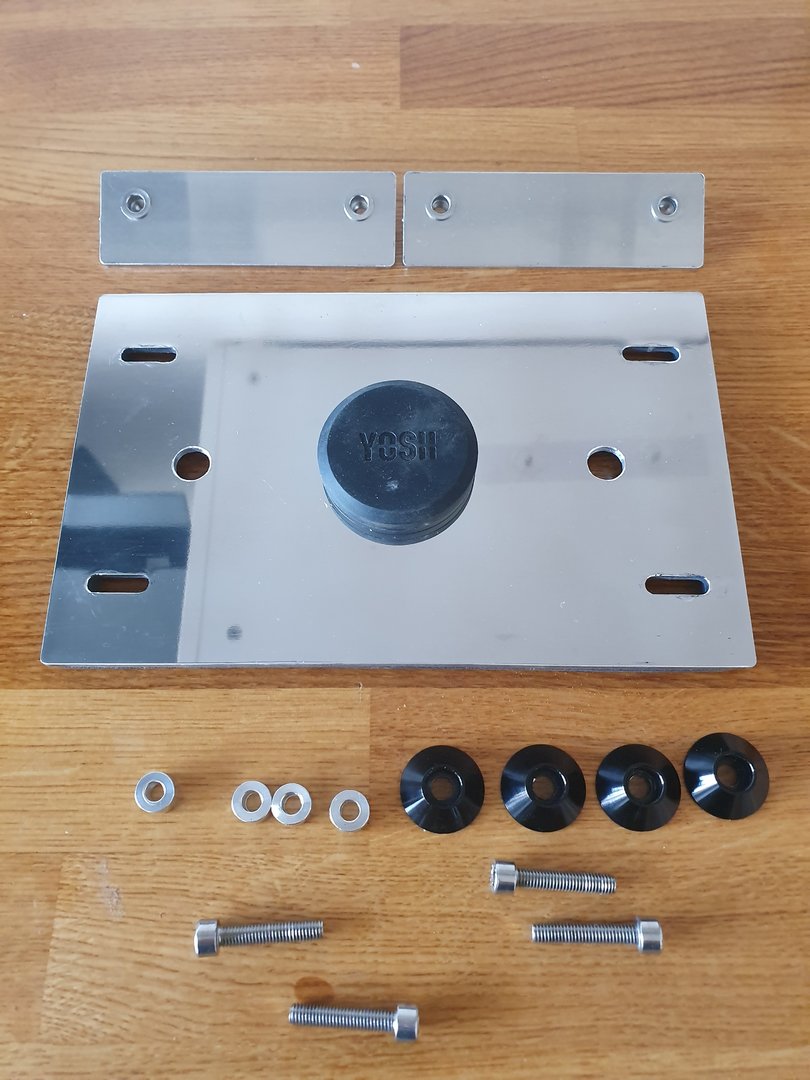
BOM
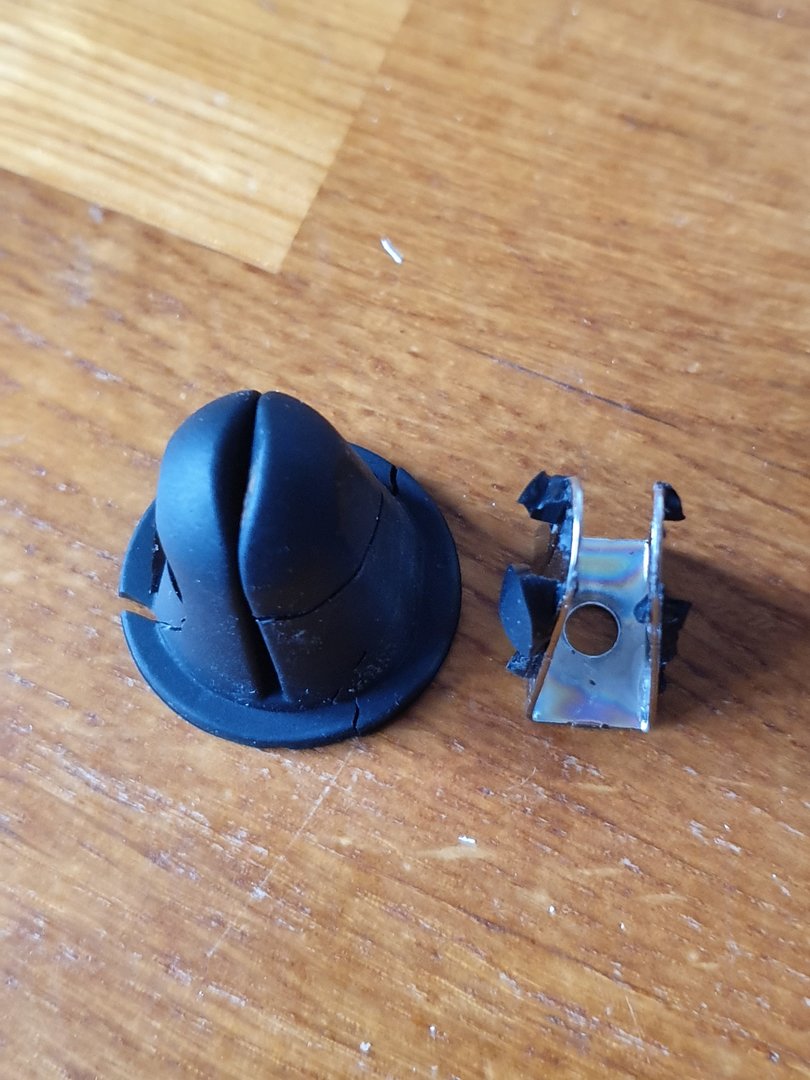
With the YOSH magnetic phone/tablet holder, it comes with this "clip" that allows you to attach it to an air vent in your car. You need to remove the rubber sleeve on this clip which in turn gives you access to the screw that holds it to the rest of the holder:
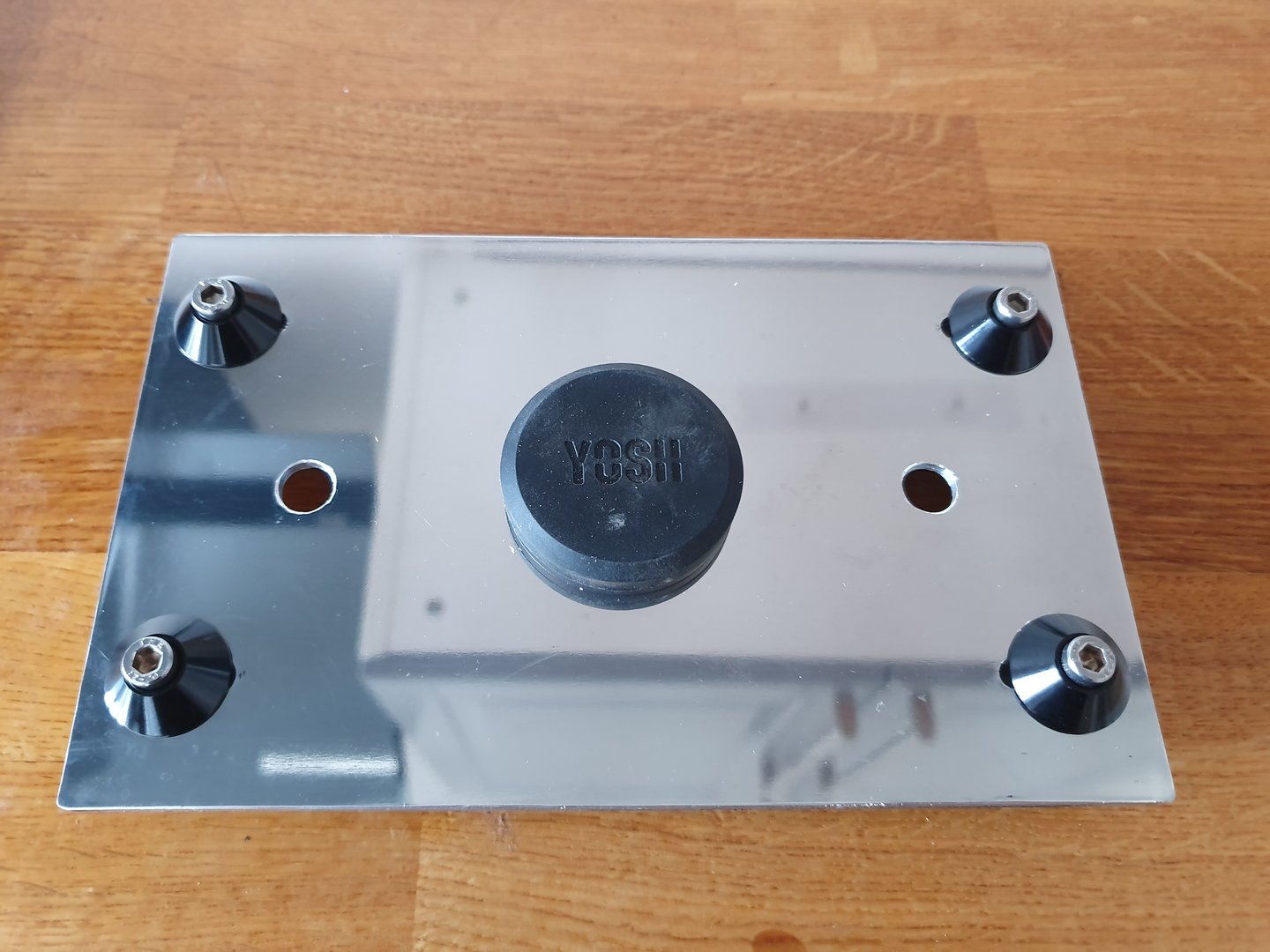
Here's a couple of pictures of the full assembly before it goes in the car:
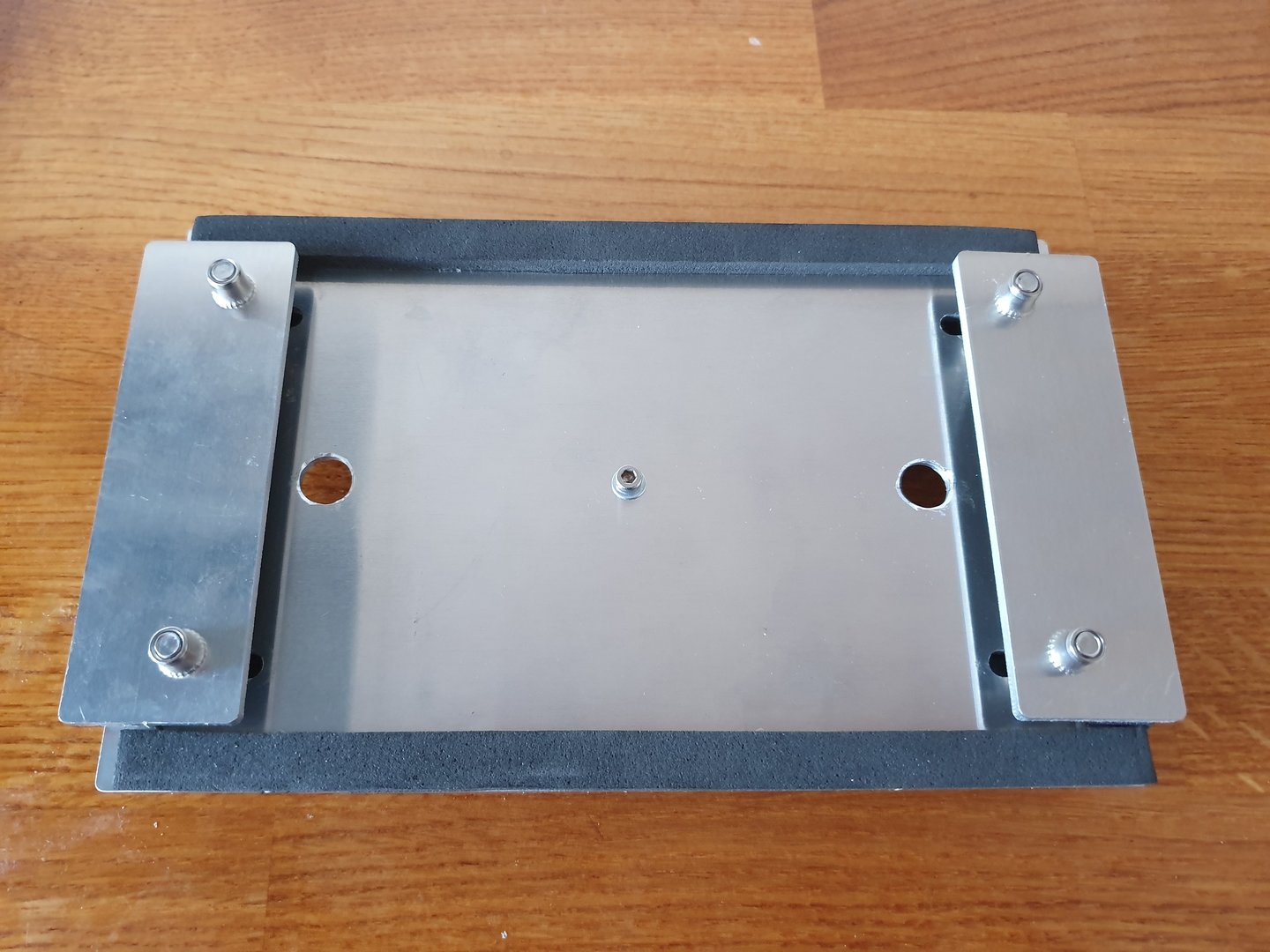
Step 2: The electronics
The problem I had with the TaoTronics bluetooth receiver was that it had a battery in it so when the car got turned off, it wouldn't disconnect from the device.
I opened up the receiver (you've got to take the front off first (the bit with the big "play" button) because there is a screw holding the back piece on) using a flat head screw driver and kind of twisting it around the usb port (obviously be careful not to push on the usb port) to pop the plastic piece off.
Once the front comes off, you can unscrew the back piece and then you're left with the middle chassis and the electronic board. At this point, you should be able to wiggle the electronic board (including battery) out of the chassis. Personally, I threw the plastics away as I didn't feel they were of any use anymore.
You should have this setup at this stage:
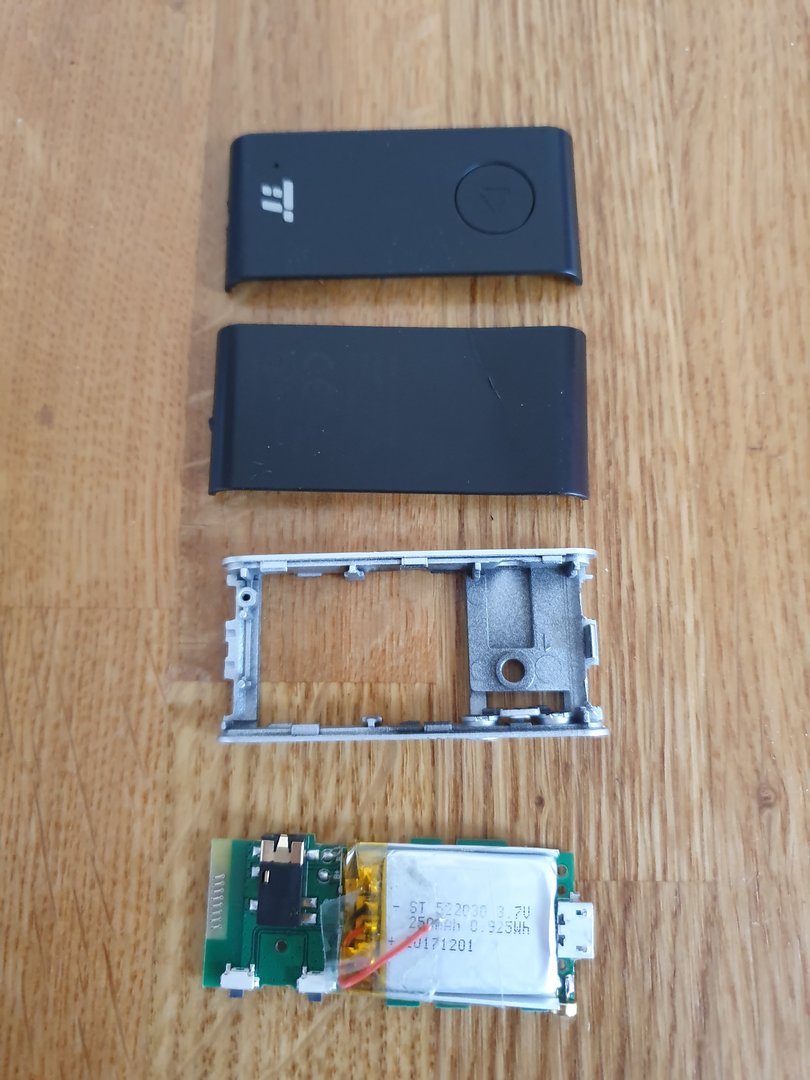
P.s. I had already removed the battery before thinking to do this writeup so it's already disconnected in the picture.
At this stage, you can remove the battery from the electronics board as it's only connected by two wires (positive and negative) either by un-soldering them or cutting the wire as close to the solder point as possible.
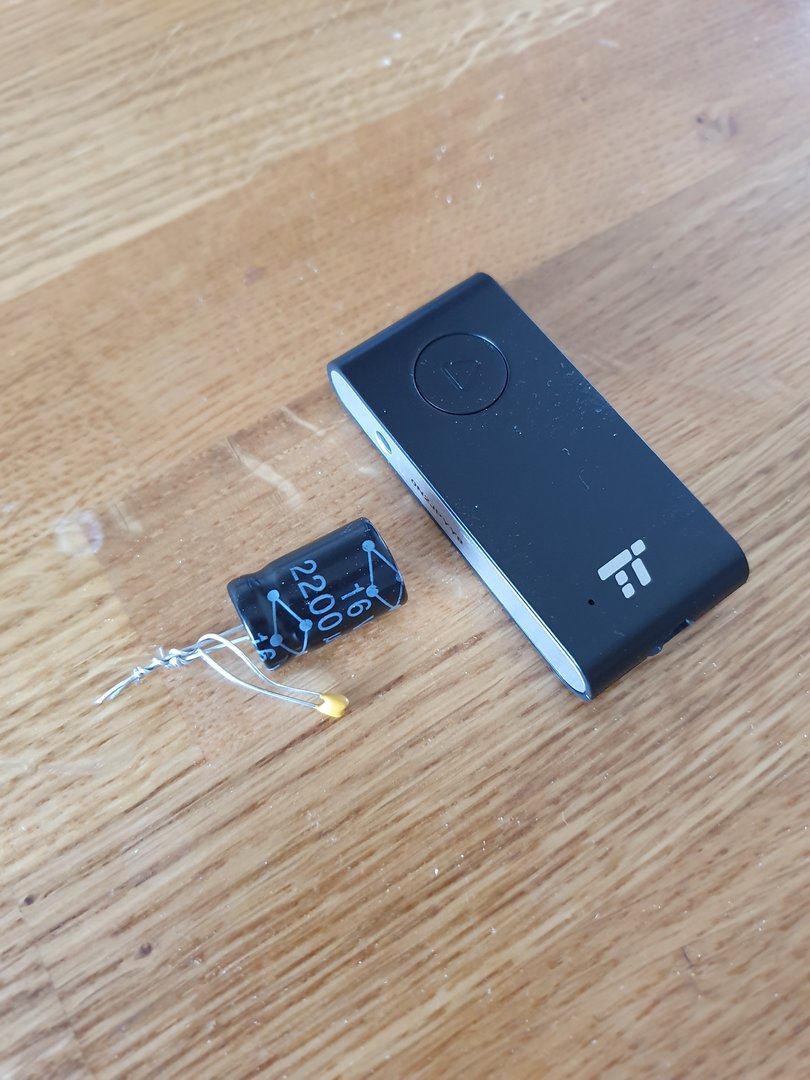
Next, you need to solder the capacitor and resistor to the positive and negative terminals on the electronics board (where you just removed the battery from). Make sure you solder the correct side of the capacitor to the correct point of the electronics board (negative to negative). The negative should be shown obviously on the capacitor and it's quite obvious on the electronics board as well (in case you forgot which wire came from where):
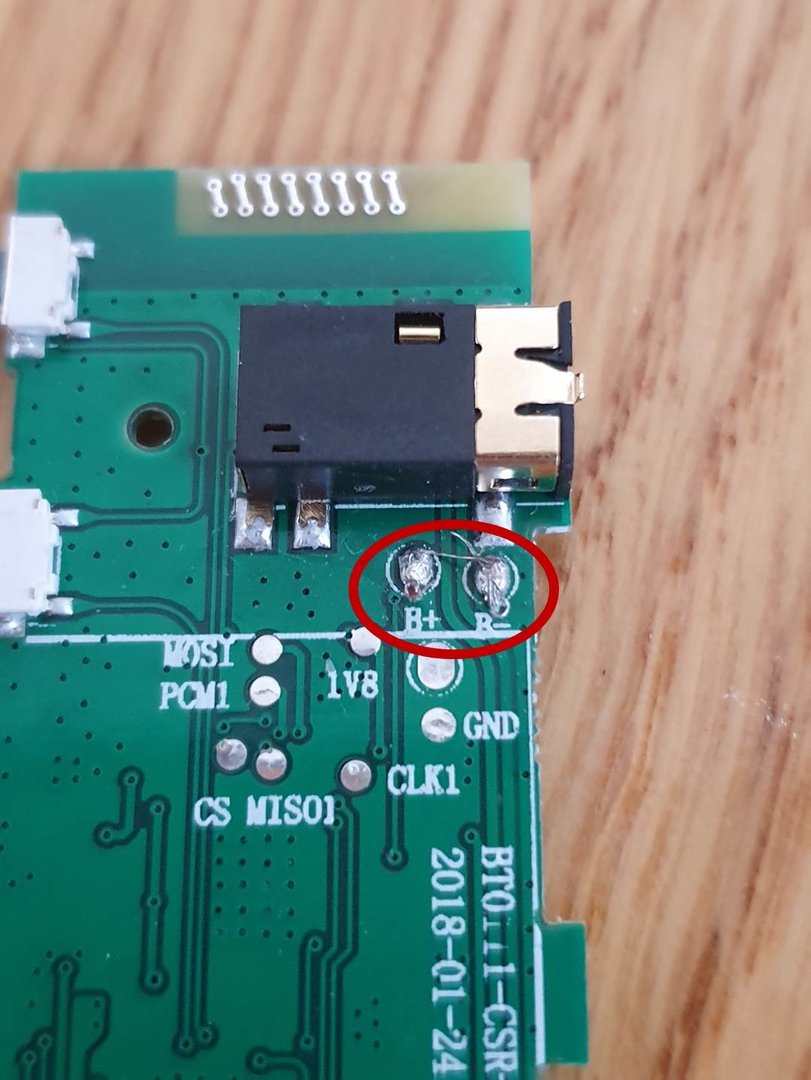
Technically you don't need the capacitor and resistor and all you would need to do to allow power through the electronics board is to connect the positive and negative points together (which is what I did at first) however, there is a hugely annoying whining noise if you don't connect the capacitor and resistor so I'd strongly recommend doing this.
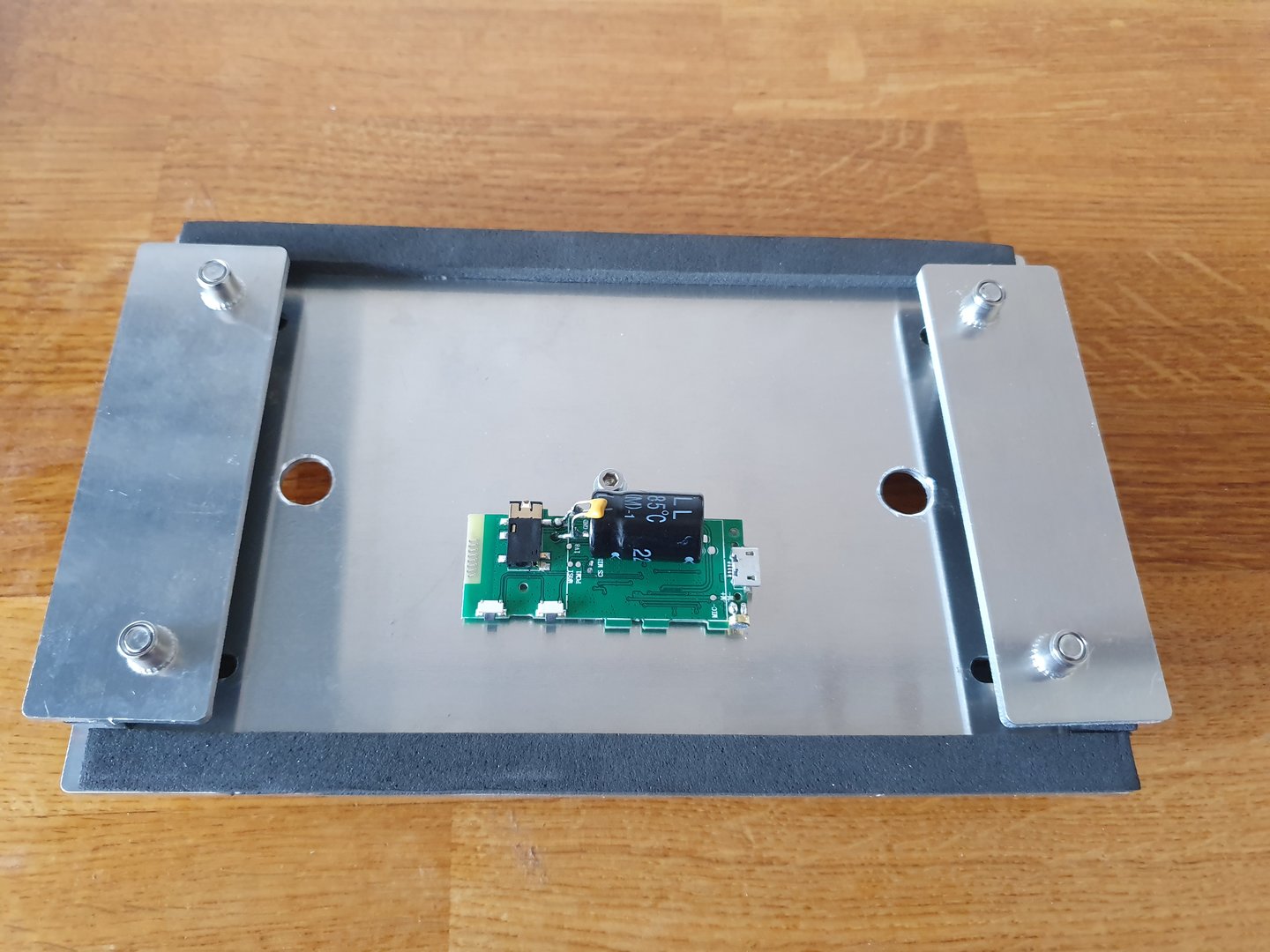
So you should have this setup at this stage:
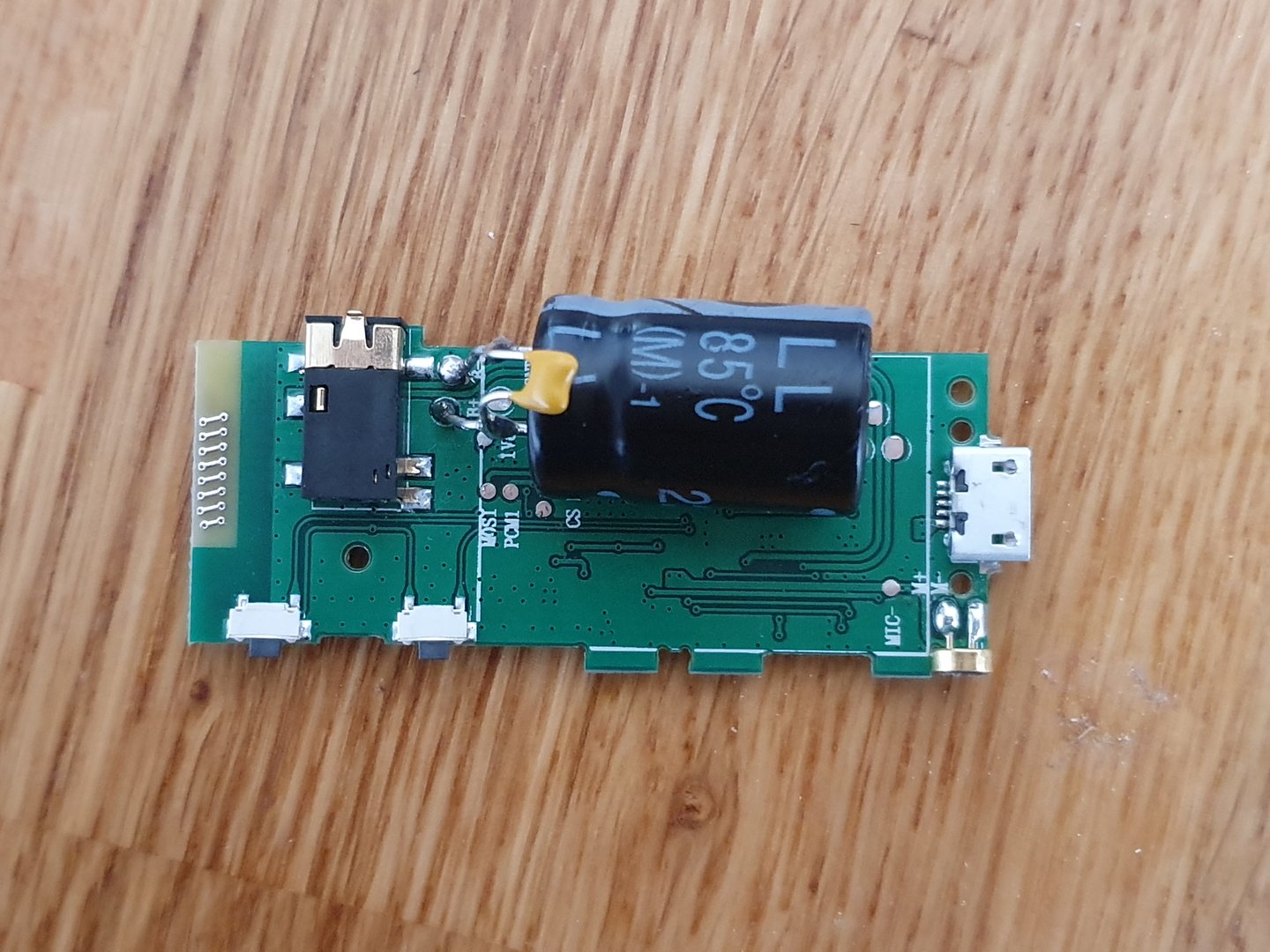
Now, you can stick this assembly to the back of the "Main Face Plate" with the double sided sticky tape (this is why you want the spongey stuff) like so:
Step 3: Sticking it in the car
Now comes the best bit, actually putting this in the car.
Before actually installing this, make sure the bluetooth receiver works properly so connect power and the aux cable to your amplifier (one thing I haven't mentioned because I've had it in the car for ages is that I replaced by head unit (which has a built in amp) with a Pioneer GM-D1004 (https://www.amazon.co.uk/dp/B00PAQGYKE/?tag=fdoc-21) which in turn has allowed me to use the TaoTronics bluetooth receiver this whole time). Once you've done this, turn your ignition on (trying to not teach you all to suck eggs here but also trying to be as decriptive as I can as I'm just mentioning everything I did) and everything should power on and you should be able to connect your device to the bluetooth receiver and play whatever music/videos with the sound coming through the cars speakers. If this doesn't work, then something must have gone wrong with the receiver at some point and I would recommend checking your wiring/soldering.
Let me put it this way, I'm not that clued up on electronics (I'm a mechanical guy) and I managed to get this working. Anyway, let's get back to sticking this thing in the car (assuming the bluetooth works (if you even wanted it)).
Before proceeding to putting the delete in place, make sure your wiring for the receiver looks like this:
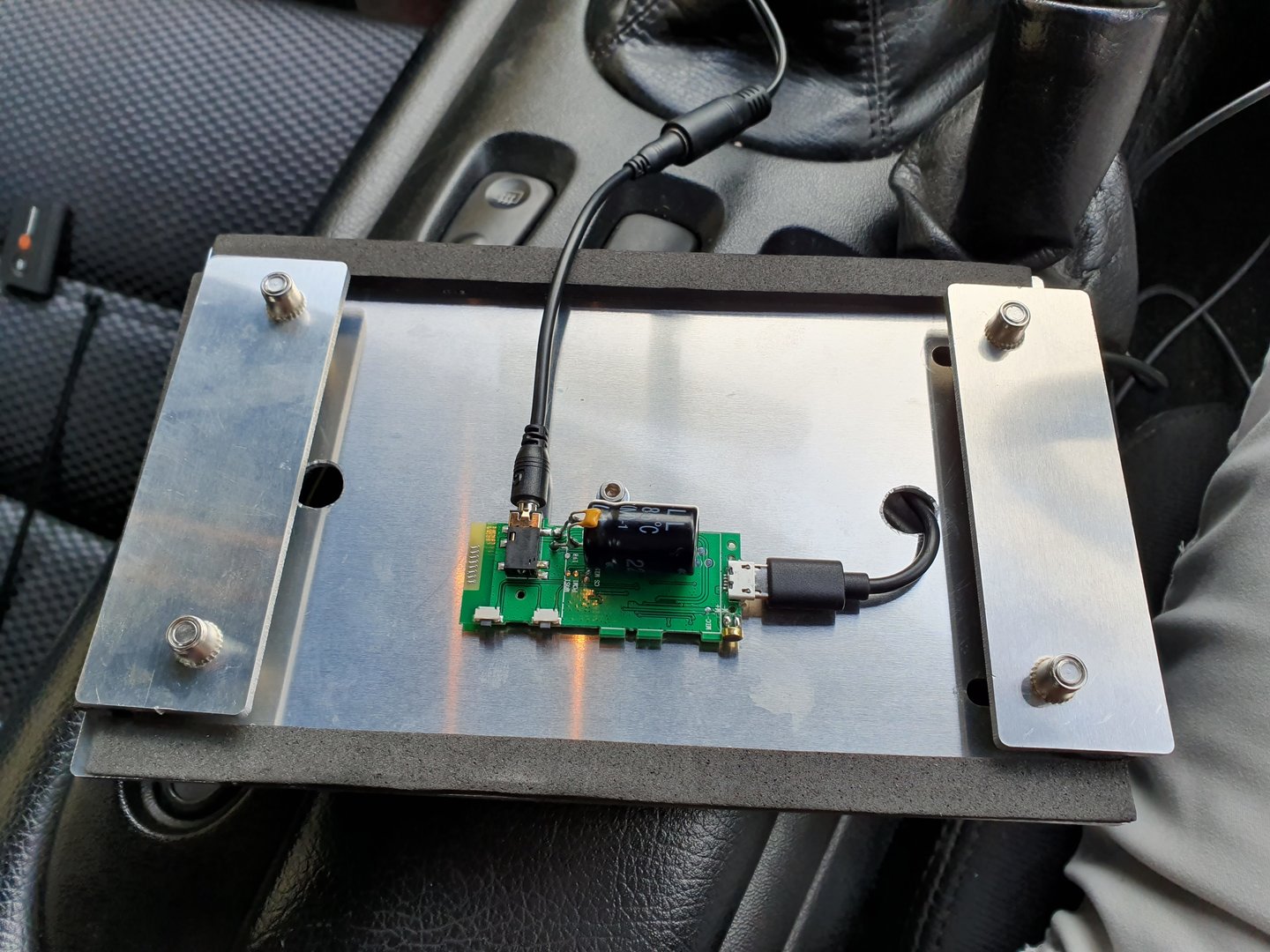
The aux cable needs to be completely behind the unit with the receiver and the power cable needs to poke through from the front to the receiver so that you can power it via a usb charger plugged into the cigarette lighter just on the right of the head unit area behind the steering wheel.
It's actually pretty straight forward but what you've got to do, it slide the two "latches" towards the centre of the whole assembly and then you can position the assembly into the opening in the centre console. Slide the latches outwards of the assembly and then tighten up the screws until they feel pretty tight.
I found that I had to do this in two stages when I did it so I tightened it all up, slackened the screws a bit and then pushed the latches out further again and then pinched everything up again. I think there might be something getting in the way of the latches making it difficult to hold them out when the screws are pretty loose but once it's all fairly tight, you should be able to push them out as far as they can go and then tighten them up again then the whole unit is nice and secure.
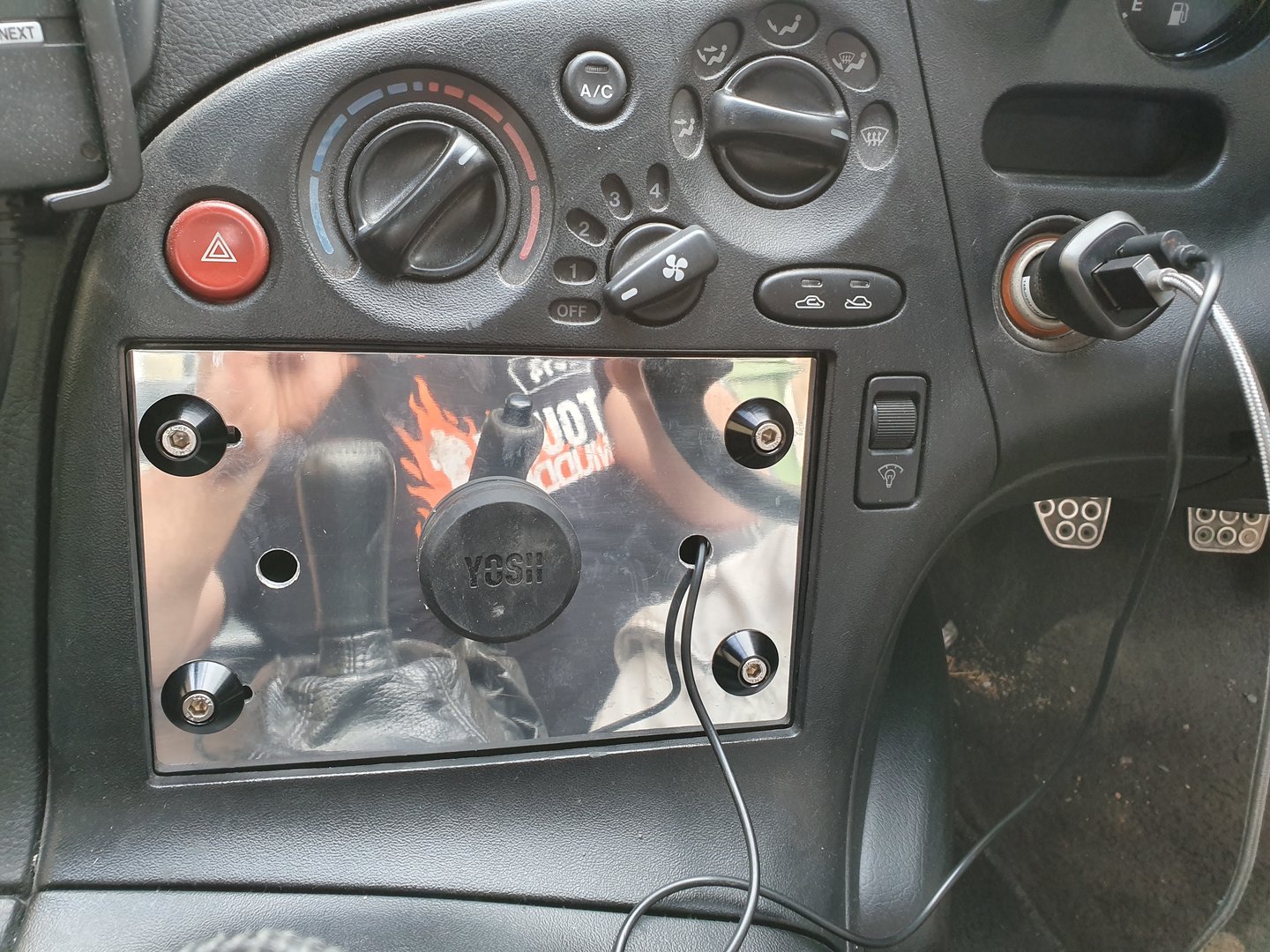
Here's a few pictures of it in my car including some with my tablet attached:
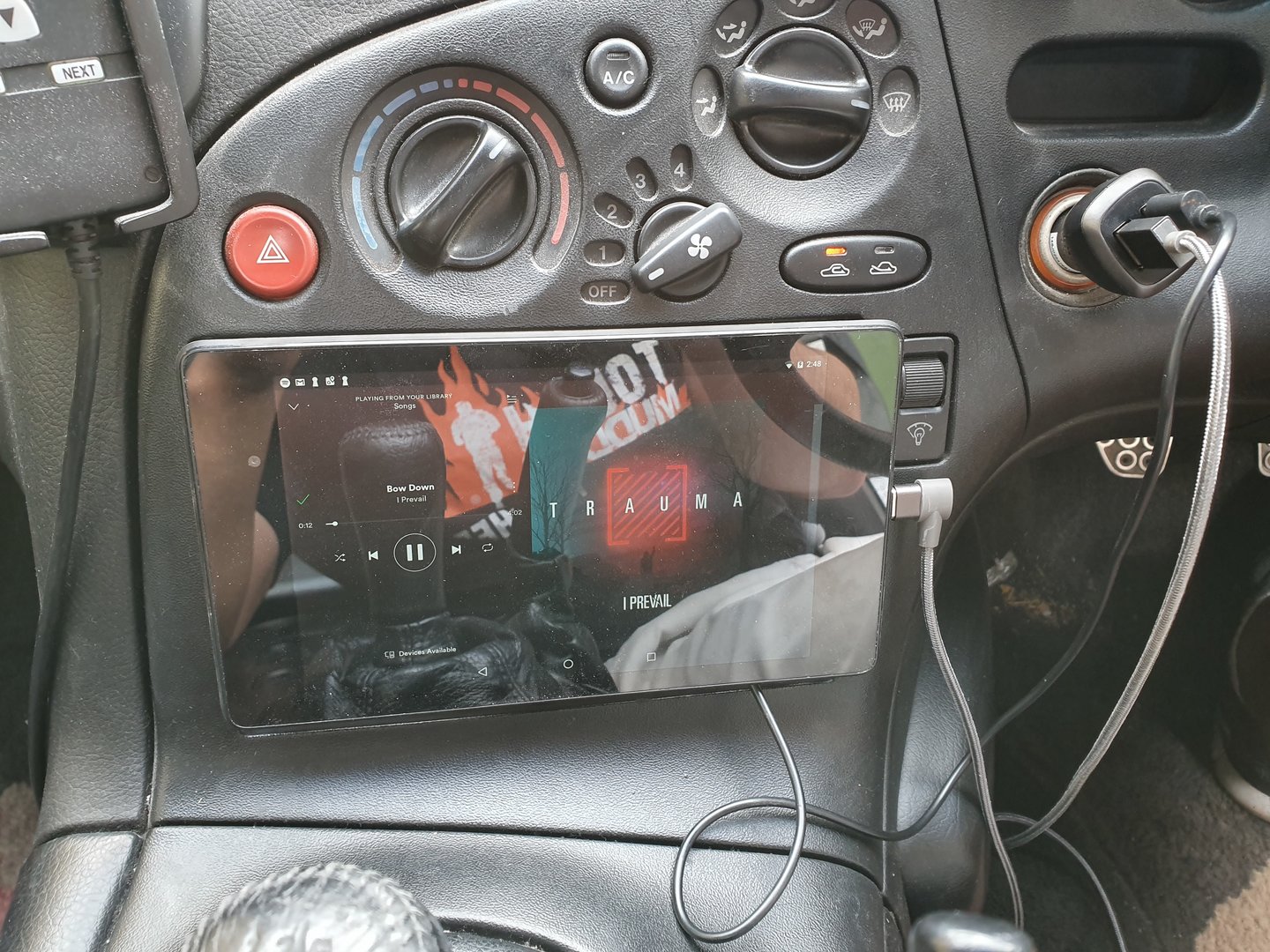
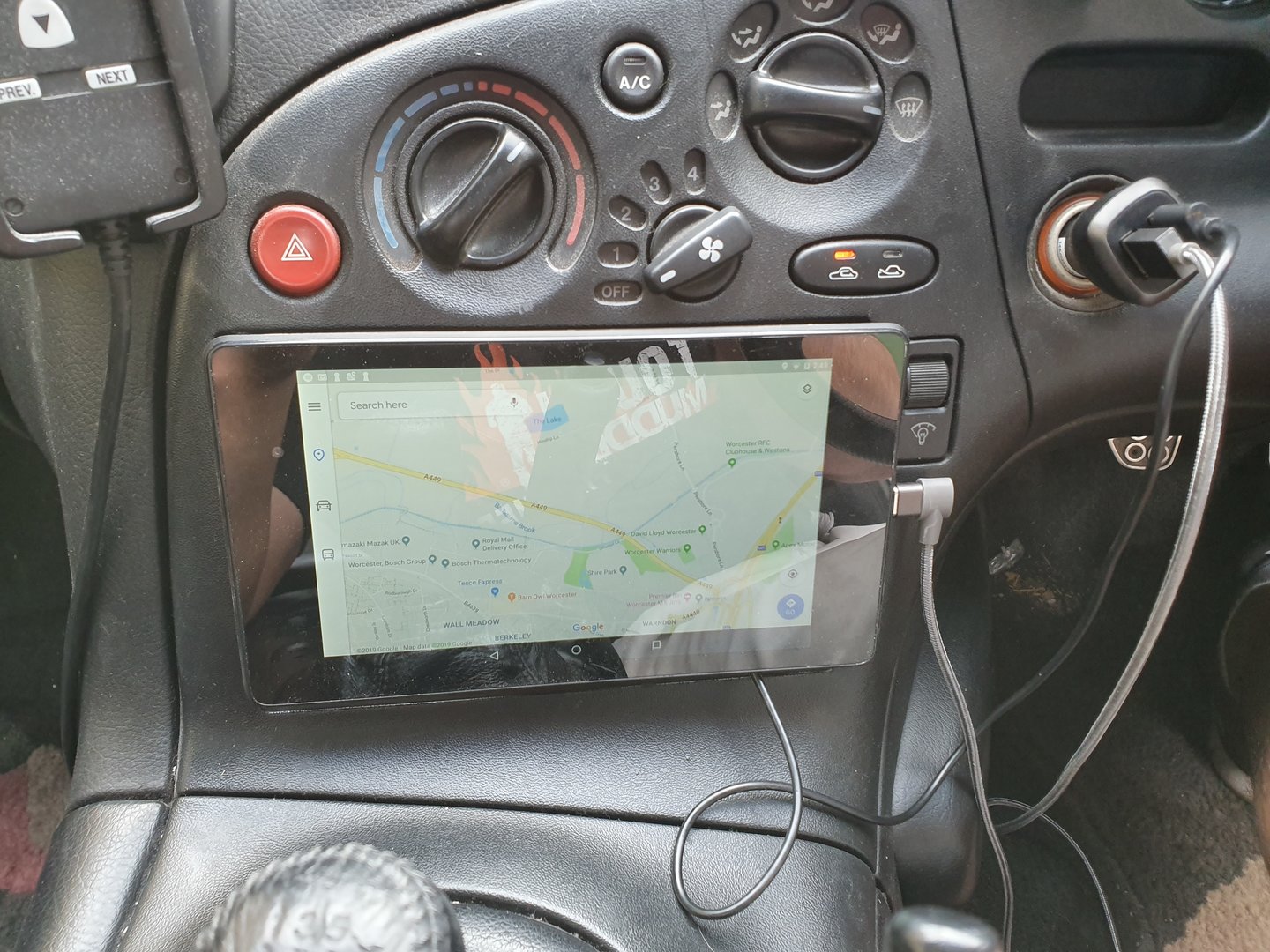
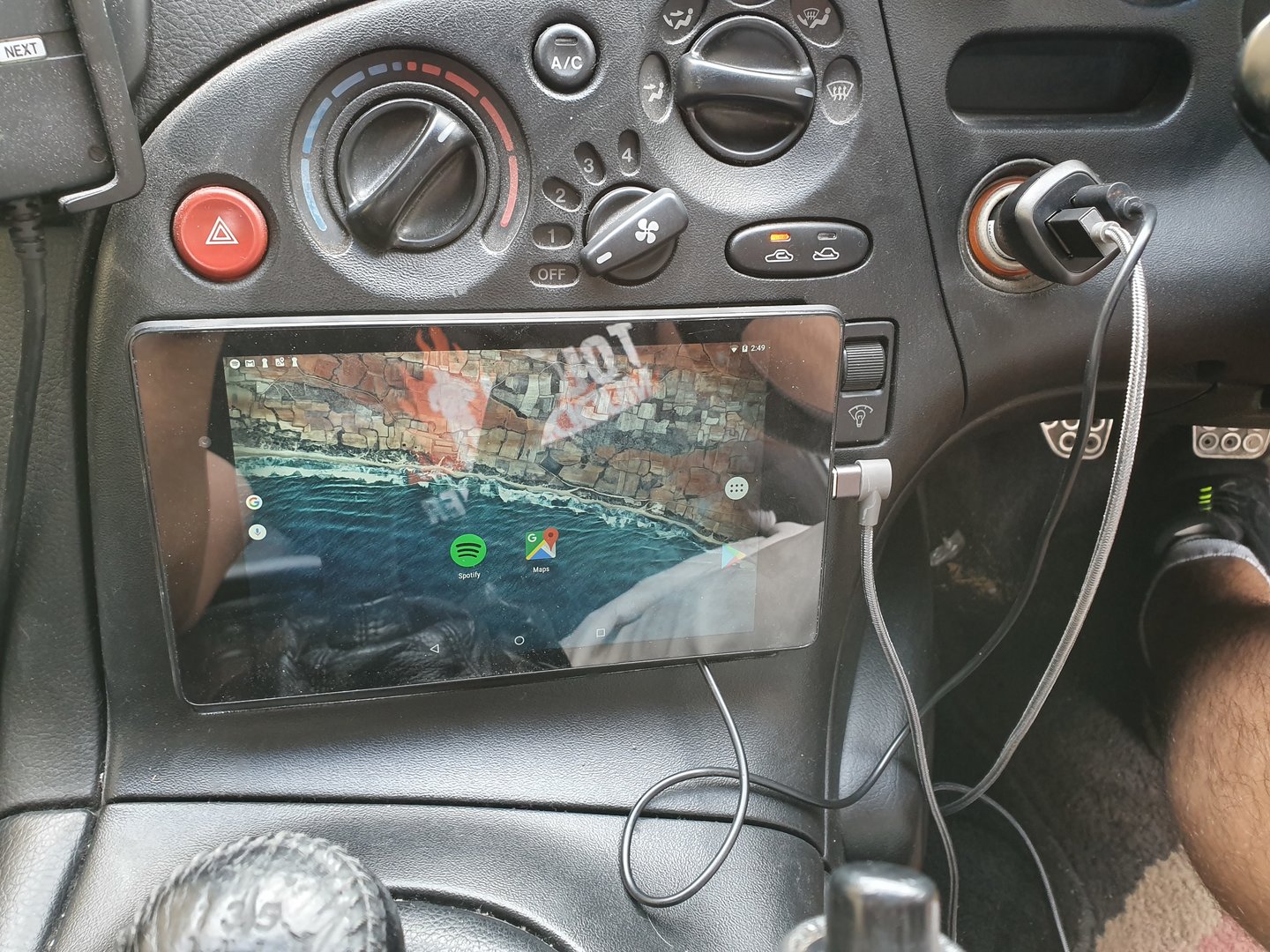
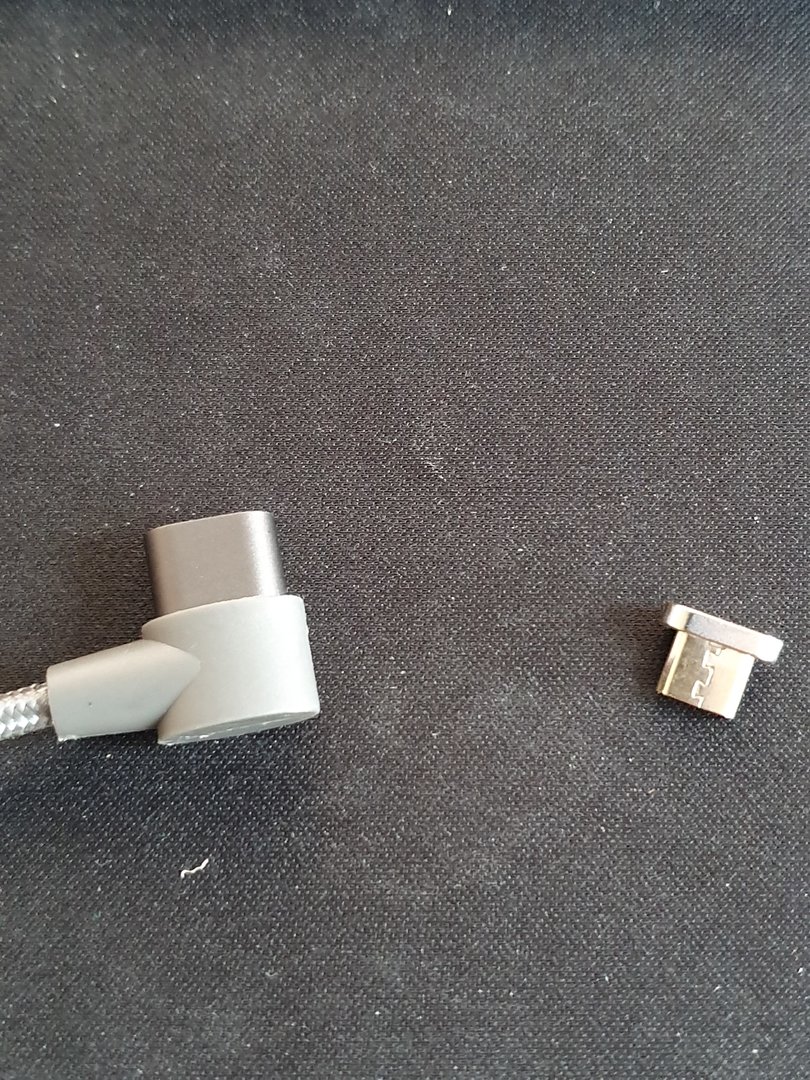
I wanted the tablet to be "quick release" so I used a magnetic charging cable (similar to how the magnetic charging cables plug into MacBooks) to povide power to the tablet. They come with a little adaptor that you plug into the usb port on the device and then the cable will magnetise itself to the adaptor when you put the cable and adaptor together. Link to the cable I used (https://www.amazon.co.uk/gp/product/B075TZP76Q/?tag=fdoc-21).
I asked about a Double DIN head unit delete to find out if it existed and it seemed the only option I had was to get something from the states. Being a Design Engineer, I thought I'd just have a crack at it myself and design it for what I wanted so here's what I came with (including a step by step of what I did):
Step 1: The design
I went through a few different iterations of the design and also considered a few different manufacturing methods including 3D printing or plastic injection moulding but, I haven't got access to a 3D printer (well, there's one at work but I don't think they'd appreciate me using that for personal stuff) and I'm not looking to pay hundreds of £££'s to make a plastic injection moulding tool.
In the end, I went pretty basic and decided to use some plate aluminium, rivnuts, cap head screws, load spreading washers and some aluminium spacers and a magnetic phone/tablet holder.
BOM
- 4 x M5 x 25mm A2 Stainless Cap Head Screws (http://rover.ebay.com/rover/1/710-5...0001&campid=5338477309&icep_item=150846401601) - £5
- 4 x M5 Blind Rivet Nuts (http://rover.ebay.com/rover/1/710-5...0001&campid=5338477309&icep_item=181799619948) - £2.75
- 4 x M5 x 6mm Aluminium Spacers (http://rover.ebay.com/rover/1/710-5...0001&campid=5338477309&icep_item=223238834370) - £6.99
- 4 x M5 x 22mm Load Spreading Cone Washers (http://rover.ebay.com/rover/1/710-5...0001&campid=5338477309&icep_item=283382213612) - £5
- 1 x Main Face Plate (Laser cut separately) - £5
- 2 x "Latch" Plates (Laser cut separately) - £5
- 1 x YOSH Magnetic Phone/Tablet Holder (https://www.amazon.co.uk/gp/product/B01JG7ZMIW/?tag=fdoc-21) - £5.99
- 1 x M3.5 x 20mm Cap Head Screw (I think it's an M3.5 and even the length is a guess as someone else sorted that for me at work) - £Free (from work)
- 1 x TaoTronics bluetooh receiver (https://www.amazon.co.uk/gp/product/B07CJ9PWSJ/?tag=fdoc-21) - £19.99
- 1 x 2200 micro farad capacitor - £Free (from work)
- 1 x 0.1 micro farad capacitor - £Free (from work)
- 1 x 600mm length x 5mm thick foam draught exluder (https://www.amazon.co.uk/gp/product/B07HTDSKJ2/?tag=fdoc-21) - £6.99
- 1 x 30mm length of 1mm thick double sided sticky tape (https://www.amazon.co.uk/gp/product/B07B3V5ZR9/?tag=fdoc-21) - £5.99
With the YOSH magnetic phone/tablet holder, it comes with this "clip" that allows you to attach it to an air vent in your car. You need to remove the rubber sleeve on this clip which in turn gives you access to the screw that holds it to the rest of the holder:
Here's a couple of pictures of the full assembly before it goes in the car:
Step 2: The electronics
The problem I had with the TaoTronics bluetooth receiver was that it had a battery in it so when the car got turned off, it wouldn't disconnect from the device.
I opened up the receiver (you've got to take the front off first (the bit with the big "play" button) because there is a screw holding the back piece on) using a flat head screw driver and kind of twisting it around the usb port (obviously be careful not to push on the usb port) to pop the plastic piece off.
Once the front comes off, you can unscrew the back piece and then you're left with the middle chassis and the electronic board. At this point, you should be able to wiggle the electronic board (including battery) out of the chassis. Personally, I threw the plastics away as I didn't feel they were of any use anymore.
You should have this setup at this stage:
P.s. I had already removed the battery before thinking to do this writeup so it's already disconnected in the picture.
At this stage, you can remove the battery from the electronics board as it's only connected by two wires (positive and negative) either by un-soldering them or cutting the wire as close to the solder point as possible.
Next, you need to solder the capacitor and resistor to the positive and negative terminals on the electronics board (where you just removed the battery from). Make sure you solder the correct side of the capacitor to the correct point of the electronics board (negative to negative). The negative should be shown obviously on the capacitor and it's quite obvious on the electronics board as well (in case you forgot which wire came from where):
Technically you don't need the capacitor and resistor and all you would need to do to allow power through the electronics board is to connect the positive and negative points together (which is what I did at first) however, there is a hugely annoying whining noise if you don't connect the capacitor and resistor so I'd strongly recommend doing this.
So you should have this setup at this stage:
Now, you can stick this assembly to the back of the "Main Face Plate" with the double sided sticky tape (this is why you want the spongey stuff) like so:
Step 3: Sticking it in the car
Now comes the best bit, actually putting this in the car.
Before actually installing this, make sure the bluetooth receiver works properly so connect power and the aux cable to your amplifier (one thing I haven't mentioned because I've had it in the car for ages is that I replaced by head unit (which has a built in amp) with a Pioneer GM-D1004 (https://www.amazon.co.uk/dp/B00PAQGYKE/?tag=fdoc-21) which in turn has allowed me to use the TaoTronics bluetooth receiver this whole time). Once you've done this, turn your ignition on (trying to not teach you all to suck eggs here but also trying to be as decriptive as I can as I'm just mentioning everything I did) and everything should power on and you should be able to connect your device to the bluetooth receiver and play whatever music/videos with the sound coming through the cars speakers. If this doesn't work, then something must have gone wrong with the receiver at some point and I would recommend checking your wiring/soldering.
Let me put it this way, I'm not that clued up on electronics (I'm a mechanical guy) and I managed to get this working. Anyway, let's get back to sticking this thing in the car (assuming the bluetooth works (if you even wanted it)).
Before proceeding to putting the delete in place, make sure your wiring for the receiver looks like this:
The aux cable needs to be completely behind the unit with the receiver and the power cable needs to poke through from the front to the receiver so that you can power it via a usb charger plugged into the cigarette lighter just on the right of the head unit area behind the steering wheel.
It's actually pretty straight forward but what you've got to do, it slide the two "latches" towards the centre of the whole assembly and then you can position the assembly into the opening in the centre console. Slide the latches outwards of the assembly and then tighten up the screws until they feel pretty tight.
I found that I had to do this in two stages when I did it so I tightened it all up, slackened the screws a bit and then pushed the latches out further again and then pinched everything up again. I think there might be something getting in the way of the latches making it difficult to hold them out when the screws are pretty loose but once it's all fairly tight, you should be able to push them out as far as they can go and then tighten them up again then the whole unit is nice and secure.
Here's a few pictures of it in my car including some with my tablet attached:
I wanted the tablet to be "quick release" so I used a magnetic charging cable (similar to how the magnetic charging cables plug into MacBooks) to povide power to the tablet. They come with a little adaptor that you plug into the usb port on the device and then the cable will magnetise itself to the adaptor when you put the cable and adaptor together. Link to the cable I used (https://www.amazon.co.uk/gp/product/B075TZP76Q/?tag=fdoc-21).
Last edited:


